
The Censys Platform in 799 Words
Censys conducts comprehensive and continuous scanning of the global internet. The data retrieved from these scans composes the Censys Internet Map, a near-real-time representation of exposed assets. This map is a structured dataset and you can use the Censys Platform to explore it.
Censys combines its scan data with third-party context to identify the software, hardware, vulnerabilities, and threats on an asset, describe its geographic location, and much more.
Censys only scans what is publicly reachable on the internet. Censys never tries to log into any service, read any database, or gain access to any system.
Security practitioners and researchers use Censys to perform general surveys of the internet, triage and investigate alerts, track adversaries, and monitor or find their organization's exposed assets.
A note on the term "exposed"Censys often uses the term “exposed” to describe assets found by its scanners, meaning things that are publicly visible or identifiable on the internet. Some assets are meant to be exposed. The actual security impact of that exposure varies depending on the resource and the organization that uses or owns it.
In the Platform, an asset can be one of four general types:
- Host: An IPv4 or IPv6 address and its services.
- Web property: Websites, web services, and web applications that respond to hostname-based scans. Identified by a hostname and a port. Hostnames can be name-based records (such as
app.censys.io) or IP-based records (such as104.18.10.85). - Certificate: Digital documents that verify the identities of services that communicate with each other. In the Platform, certificates are indexed and identified by the SHA-256 digest of the entire raw certificate.
- Fully-qualified domain name (FQDN): The records and information for a name within the Domain Name System (DNS) tree, like
censys.com.
You can retrieve Censys data for an asset by directly looking it up in the Platform UI or API. To look up a host in the UI, for example, you can enter its IP in the search bar. To look up a name, enter it in the search bar and click the link to view its details.
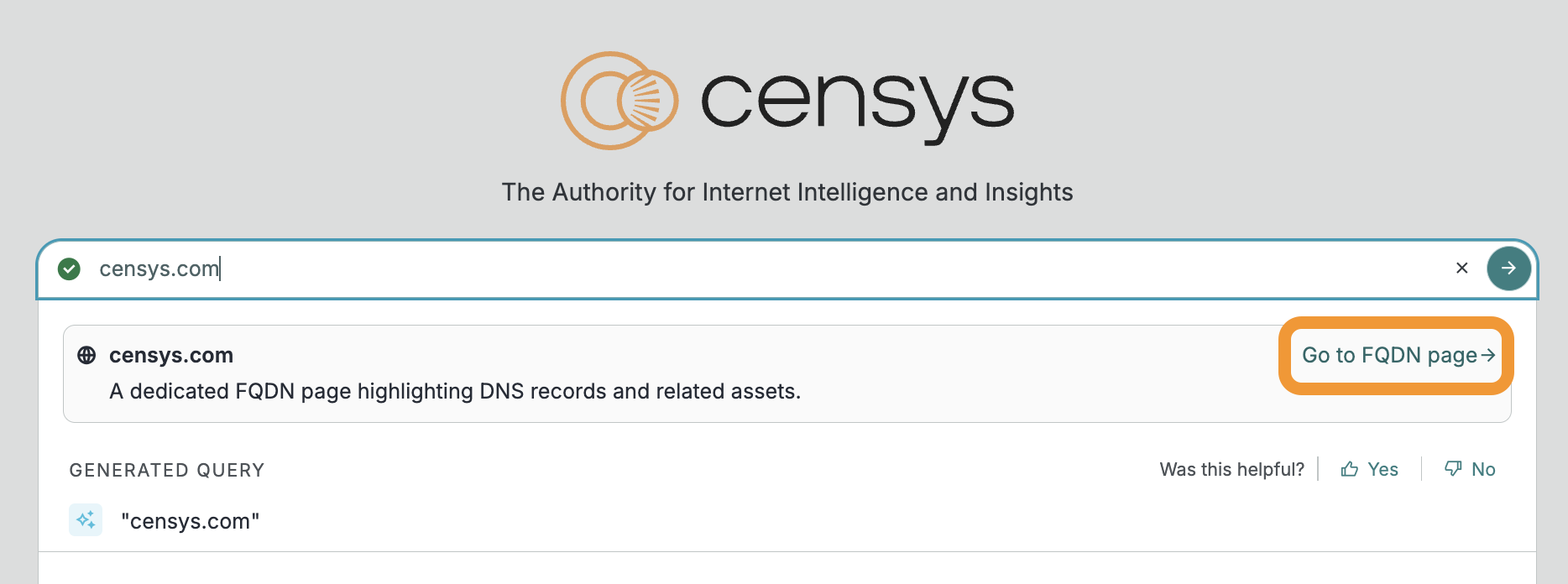
The Platform search bar with the link to view the FQDN page for a name highlighted.
Censys CreditsFor Censys Free and Censys Starter users, every action in the UI and API deducts from your Censys Credit balance. For Censys Search and Core users, almost all actions in the UI are free, but most API actions deduct from your balance. Learn more about Censys Credits here.
You can also find assets by running full-text searches and writing queries in the Censys Query Language (CenQL). You can combine full-text searches with CenQL queries.
A full-text search looks across entire asset records for a value, such as "example.com". It matches any record that contains the search term in any field. Certificates are an exception: full-text search only targets the cert.names, cert.parsed.issuer_dn, and cert.parsed.subject_dn fields.
CenQL queries target field-value pairs, like host.location.city="Ann Arbor". Several different field-value pair operators are available.
=is an exact match and is case-sensitive for strings.:matches records that contain the indicated value or values and is case-insensitive.=~matches regular expressions.
You can combine multiple field lookups with boolean operators like and, or, and not. The following query looks for hosts in the city of Ann Arbor that also have a service with "login page" in the title.
host.location.city="Ann Arbor" and host.services.endpoints.http.html_title: "login page"A complete list of data fields available for host, web property, and certificate records in the Platform is available on the in-app data definitions page.
In the UI, your search results are shown in a paginated list. Fields and services on assets that match your search criteria are highlighted on asset preview cards.
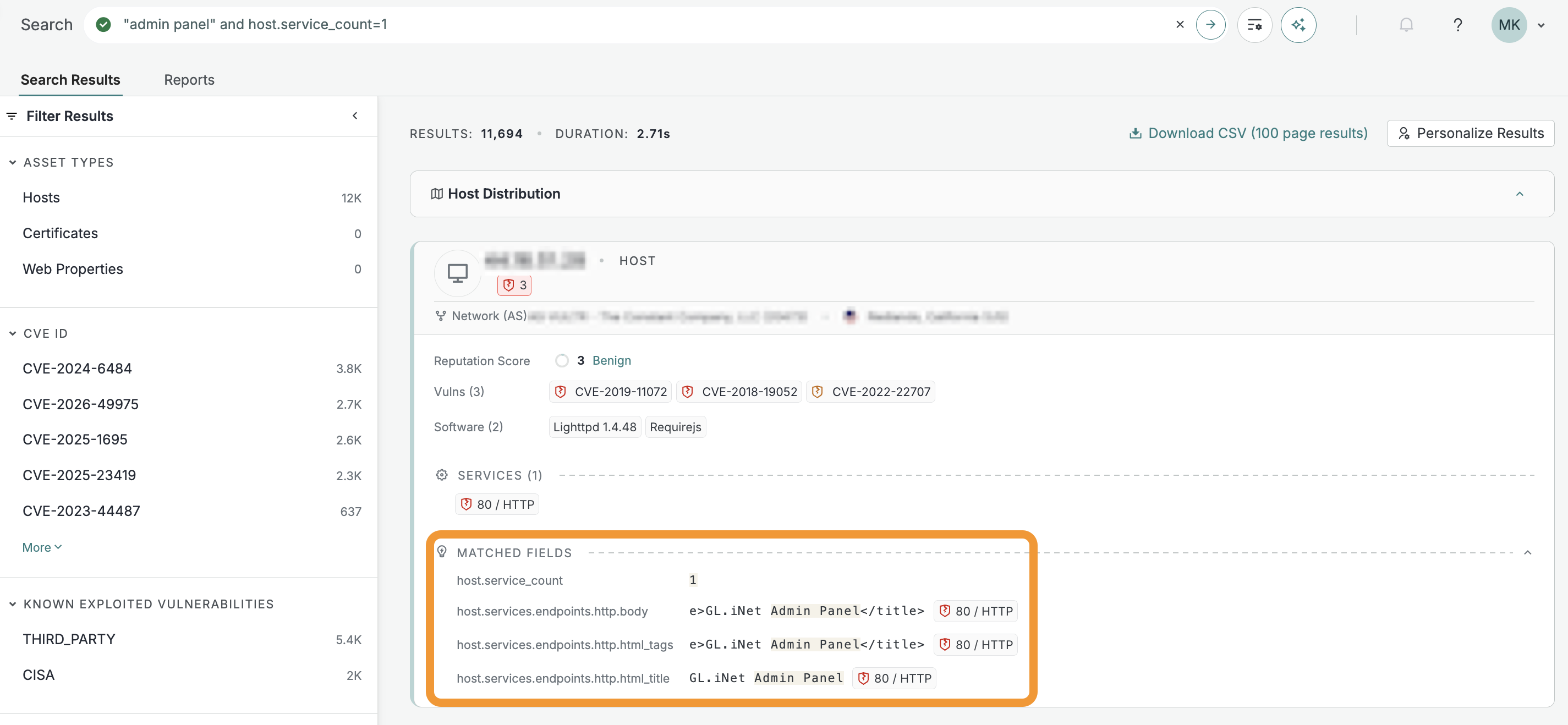
Matched fields and services highlighted on an asset preview card on a search results page.
In the UI, you can use the interactive map and filters in the left sidebar to refine your search results. When you add filters, note how they modify your original query to build a better understanding of CenQL.
Everything that you can do in the Platform UI can also be executed via the API. Learn more about the Platform API here.
The data you have access to in Censys varies based on your license tier and the additional modules you or your organization have purchased. Higher tiers have the ability to view and search across more data, like deeper software component information, vulnerability data, threat fingerprints, industrial control system (ICS) protocols, and more.
Once you have grasped the basics of the Censys Platform, build a report, set up a collection to monitor search query results, incorporate regex into a query, or set up an integration to bring Censys intelligence into your tech stack.
Updated 21 days ago