
Adversary Investigation MCP Server
Use the Adversary Investigation Model Context Protocol (MCP) server to give your AI agents access to Censys Adversary Investigation APIs, empowering you to find and investigate potential threats at machine speed.
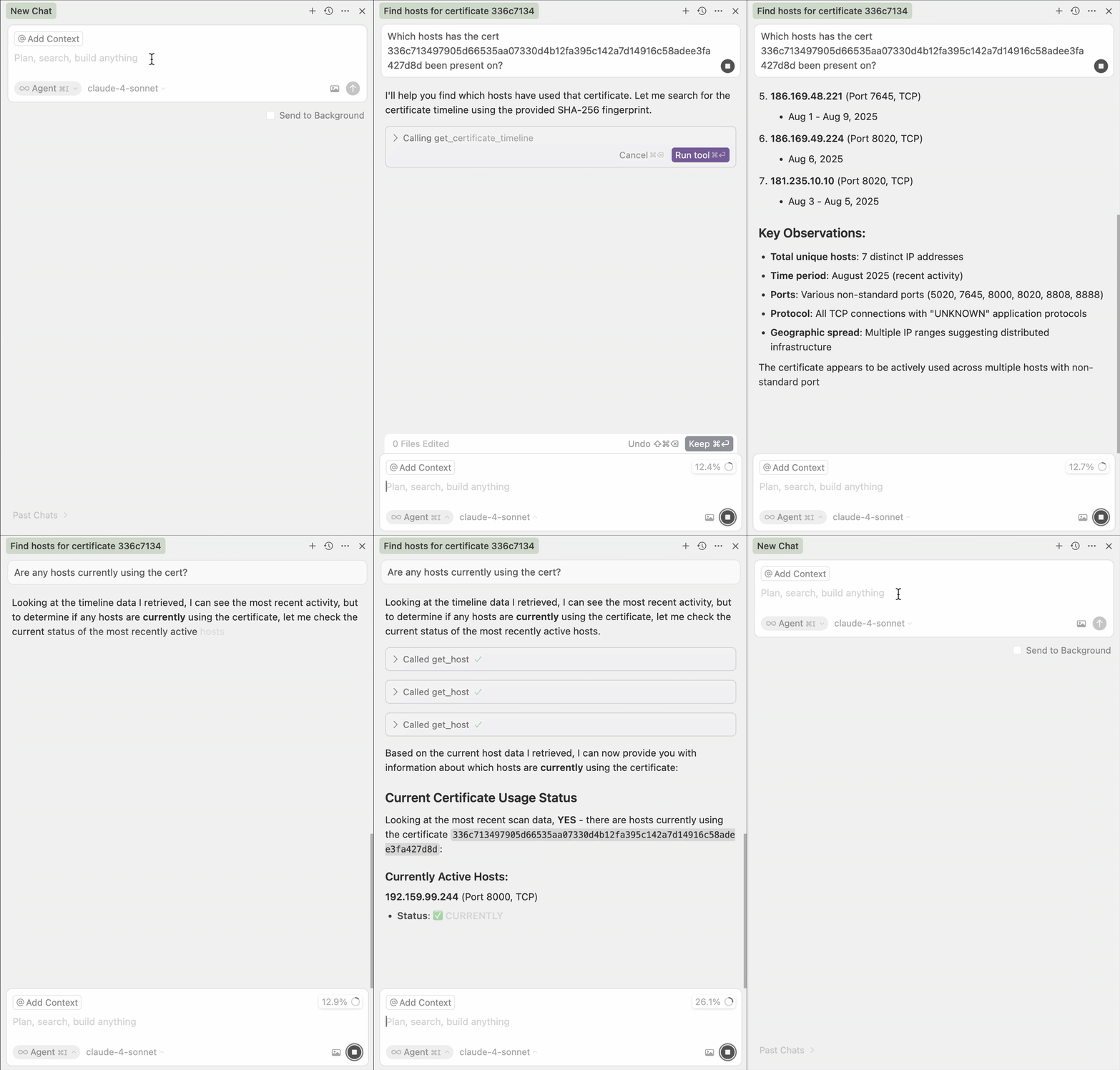
MCP is an open standard designed by Anthropic to help AI agents leverage trusted external data and tools.
The Adversary Investigation MCP server is a service hosted by Censys that you can integrate with tools like Cursor, Claude Code, and Continue.dev. The server can be used by any Platform user with access to the API and the Adversary Investigation module. API calls executed via integration with the server count against your credit balance.
Prerequisites
- Your Censys account must have the API Access role to use the MCP server.
- Your organization must have access to the Adversary Investigation module.
Integrate with the Censys hosted Adversary Investigation MCP server
Use one of the authentication options described below to integrate the Censys hosted Adversary Investigation MCP server with your tools. Note that the following configurations are just some examples; the MCP server can be incorporated into many different applications.
Censys recommends using the OAuth authentication option.
OAuth authentication
- Add the MCP server to your application using the configuration steps described below.
Add the following to your Cursor MCP configuration file (~/.cursor/mcp.json). To access this file in the UI, go to Cursor Settings > Tools & MCPs and click + New MCP server.
{
  "mcpServers": {
    "censys-threat-hunting": {
      "url": "https://mcp.platform.censys.io/threat-hunting/mcp/"
    }
  }
}
Run the following command in Claude Code.
claude mcp add censys-threat-hunting https://mcp.platform.censys.io/threat-hunting/mcp/Add the following to your Continue configuration file (.continue/config.json).
{
  "mcpServers": {
    "censys-threat-hunting": {
      "url": "https://mcp.platform.censys.io/threat-hunting/mcp/",
    }
  }
}-
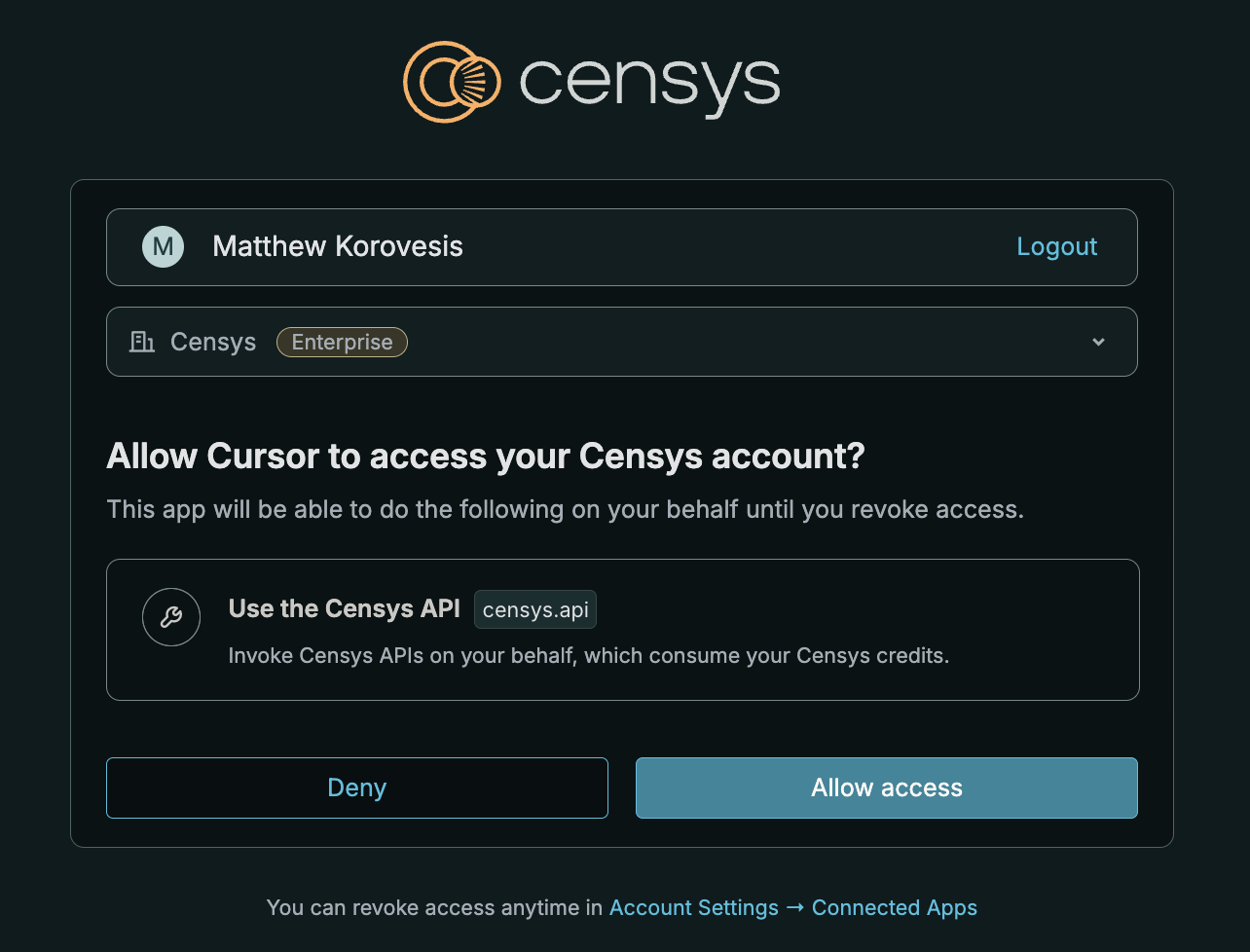
On the consent page, select your organization and approve the connection to Censys. You can manage your OAuth connections from Account Settings > Personal Settings > Connected Applications in the Platform console.
HTTP header authentication
Add the MCP server to your application using the configuration steps described below.
Add the following to your Cursor MCP configuration file (~/.cursor/mcp.json). To access this file in the UI, go to Cursor Settings > Tools & Integrations and click + New MCP server.
{
  "mcpServers": {
    "censys-threat-hunting": {
      "url": "https://mcp.platform.censys.io/threat-hunting/mcp/",
      "headers": {
        "X-Organization-ID": "your-organization-id",
        "Authorization": "Bearer your-censys-personal-access-token"
      }
    }
  }
}
Run the following command in Claude Code.
claude mcp add --transport http censys-threat-hunting https://mcp.platform.censys.io/threat-hunting/mcp/ --header "Authorization: Bearer your_pat" --header "X-Organization-ID: your-org-id"Add the following to your Continue configuration file (.continue/config.json).
{
  "mcpServers": {
    "censys-threat-hunting": {
      "url": "https://mcp.platform.censys.io/threat-hunting/mcp/",
      "headers": {
        "X-Organization-ID": "your-organization-id",
        "Authorization": "Bearer your-censys-personal-access-token"
      }
    }
  }
}
Test your connection
After configuring your integration, test it by prompting your agent to use Adversary Investigation functionality, such as finding hosts that have historically used a certificate based on the certificate's fingerprint.
The output may depend on your specific configuration, but your agent should use the GET host history endpoint to retrieve information about the hosts that have been historically used by the certificate.
Example use cases
Initiate a scan for a currently unobserved service on a host or web property
Use the agent to target a currently unobserved service at a specific IP and port or hostname and port. For example, instruct your agent to scan port 12345 on host 1.1.1.1.
Track active command and control (C2) frameworks
Instruct your agent to show all hosts running a particular type of C2 software, such as "show me all hosts running Cobalt Strike."
Map adversary infrastructure by network
Prompt your agent to report which ASNs are being used for a particular threat. For example, "in which ASNs do we see hosts running PolarEdge Botnet?"
Pivot on infrastructure characteristics
Instruct your agent to find interesting pivots for a particular IP address. For example, "find interesting pivots for 38.159.89.211."
Investigate certificate re-use
Find hosts that historically have used a certificate. Use a prompt like "show me all hosts that presented the certificate fingerprint 136fbfd2d255a7fc69c16fe115138d7a53ed0a7db8302017ee0e692b42d82ffe in July 2025."
Adversary Investigation MCP tools
In addition to functionality that is equivalent to the Platform and Adversary Investigation APIs, the Adversary Investigation MCP server features the following tools.
| Tool | Description |
|---|---|
generate_query | Converts natural language requests into valid CenQL queries. |
generate_and_search_query | Generates a Censys search query from natural language and searches the query. |
Updated about 2 months ago