
Audit Log
The audit log in the Censys Platform web console provides a record of user and organization events for the Platform and user, organization, and workspace events for Attack Surface Management (ASM).
As of January 2026, the Censys team has started migrating ASM customers to the Platform for organization management. Contact your Censys team representative to learn more about migrating your team.
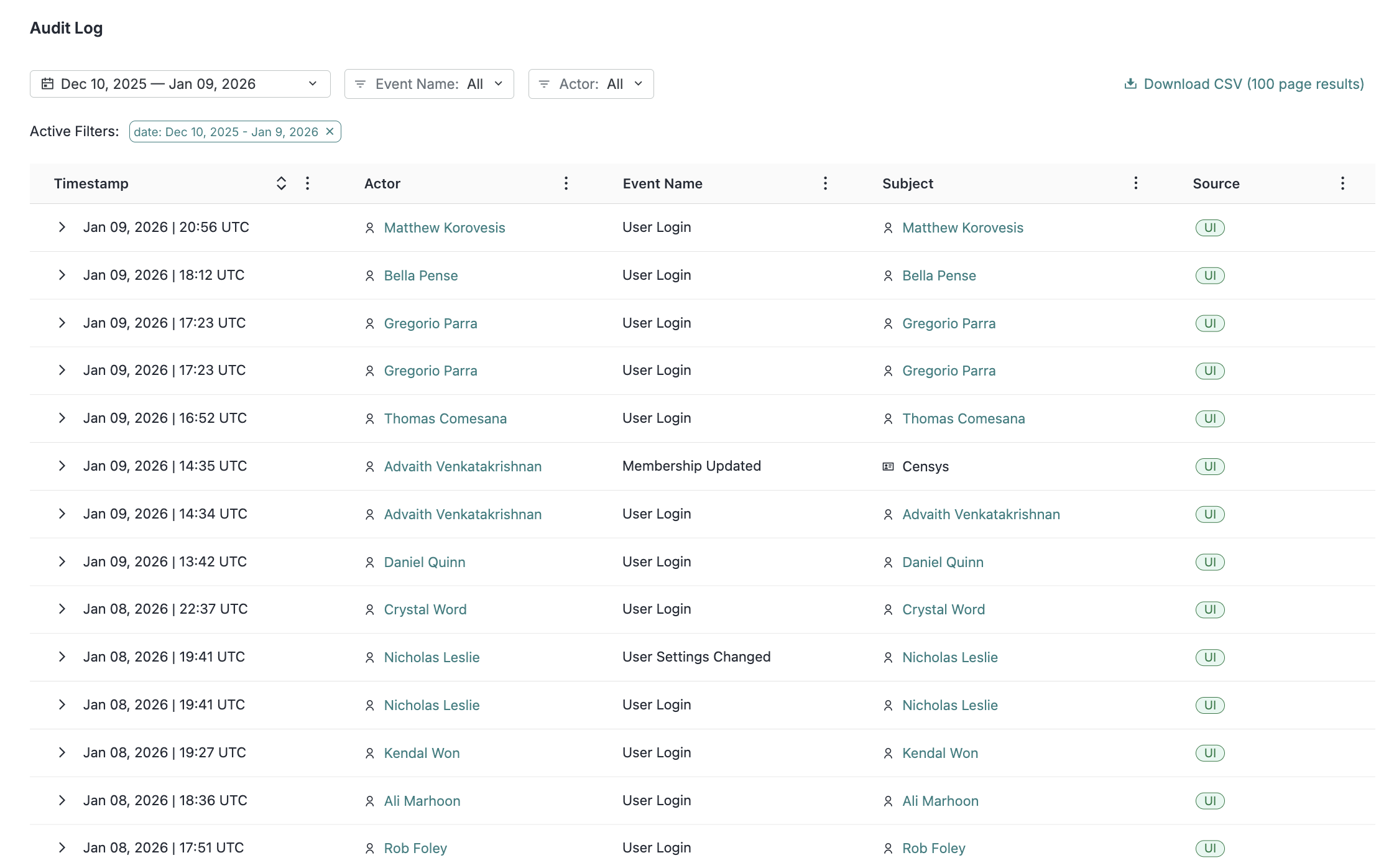
Access and use the audit log
Organization users with the Platform Admin role can access the audit log. Users without the Platform Admin role cannot access the audit log.
To access the audit log in the Platform console:
- In the left side navigation panel, hover your cursor over the organization icon. Click the Settings button.
- Go to Organization Settings > Audit Log.
Use the time range, Event Name, and Actor filters to find events of interest. Event names include actions like user login, Personal Access Token (PAT) creation and deletion, user role changes, and user MFA and password changes. Actors are Censys users or, in some cases for automated events, Censys systems.
The Subject is the object modified or used by the action.
Hover your cursor over an icon next to an actor or subject to see its type.

The Source column indicates whether the action was executed in the UI or via the API. Note that if an ASM user makes a change via API, the username will not be shown, as ASM APIs are executed at a workspace level.
Click Download CSV in the top right corner at any time to download your filtered audit log results.
Audit log events
The table below lists all audit log events and which products they apply to.
| Event | Product |
|---|---|
| ASM Exclude Created | ASM only |
| ASM Exclude Deleted | ASM only |
| ASM Risk Instance Accepted | ASM only |
| ASM Risk Instance Unaccepted | ASM only |
| ASM Risk Instance Severity Changed | ASM only |
| ASM Risk Type Disabled | ASM only |
| ASM Risk Type Enabled | ASM only |
| ASM Risk Type Severity Changed | ASM only |
| ASM Seed Created | ASM only |
| ASM Seed Deleted | ASM only |
| Invitation Accepted | Platform and ASM |
| Invitation Created | Platform and ASM |
| Invitation Deleted | Platform and ASM |
| Invitation Resent | Platform and ASM |
| Membership Created | Platform and ASM |
| Membership Removed | Platform and ASM |
| Membership Updated | Platform and ASM |
| Organization Updated | Platform and ASM |
| Organization Created | Platform and ASM |
| Organization Deleted | Platform and ASM |
| PAT Created | Platform only |
| PAT Deleted | Platform only |
| SAML Config Created | Platform and ASM |
| SAML Config Deleted | Platform and ASM |
| SAML Config Domain Verified | Platform and ASM |
| SAML Config Updated | Platform and ASM |
| User Created | Platform and ASM |
| User Disabled | Platform and ASM |
| User Updated | Platform and ASM |
| User Login | Platform and ASM |
| User Login Failed | Platform and ASM |
| User MFA Changed | Platform and ASM |
| User Password Changed | Platform and ASM |
| User Password Reset | Platform and ASM |
| User Settings Changed | Platform and ASM |
Event information
Click the > arrow next to any event entry to see additional details, such as the login method and whether MFA was enabled for login events.
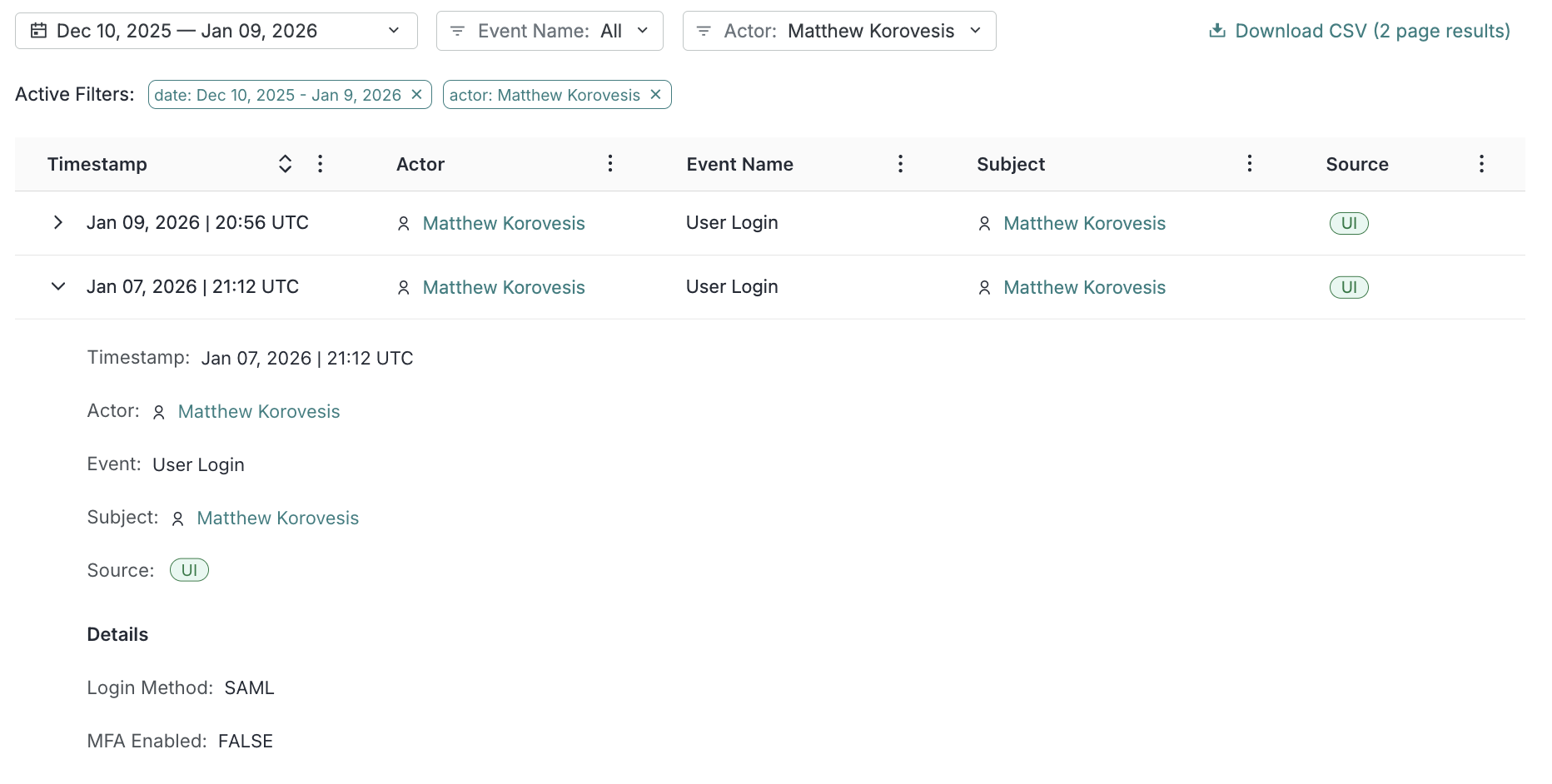
Actor and subject information
Click the name of an actor or subject to see additional information about them, including their name, user ID, and email.
User actions and organization information
Any time that a user performs an event that affects themselves like logging in, changing their settings, or creating a PAT, Censys records which organizations they were members of at the time of the event. Admins of any of those organizations can see those events in their audit log.
Audit log API
Platform Admins can also retrieve audit log events via the list audit log events API endpoint.
Updated 14 days ago