
Active DNS
Censys Active DNS is a high-frequency, iterative DNS resolution engine that maintains a proactive inventory of how domain names map to internet infrastructure. Instead of relying on passive observation, Censys actively performs DNS resolution, querying authoritative infrastructure to determine where domains currently resolve. This produces a continuously refreshed dataset describing domain-to-infrastructure relationships across the internet.
You can use Censys Active DNS to:
- View current and historical A, AAAA, CNAME, MX, NS, SOA, and TXT records for a domain. Records are resolved directly by Censys approximately every 24 hours.
- Analyze domain infrastructure changes and timelines. See exactly when a domain changed from one IP or another, how long it persisted, and what ran there.
- Instantly pivot from any domain to its host IP, open services, threats, certificates, and more. You can also pivot in the other direction from a host IP to see all domains that have ever been present on it.
Data from Censys Active DNS can be viewed and pivoted across in the Censys Platform UI and retrieved via the Platform API.
Censys Active DNS is available to users on the Censys Search and Censys Core tiers.
Domain information in the Platform UI
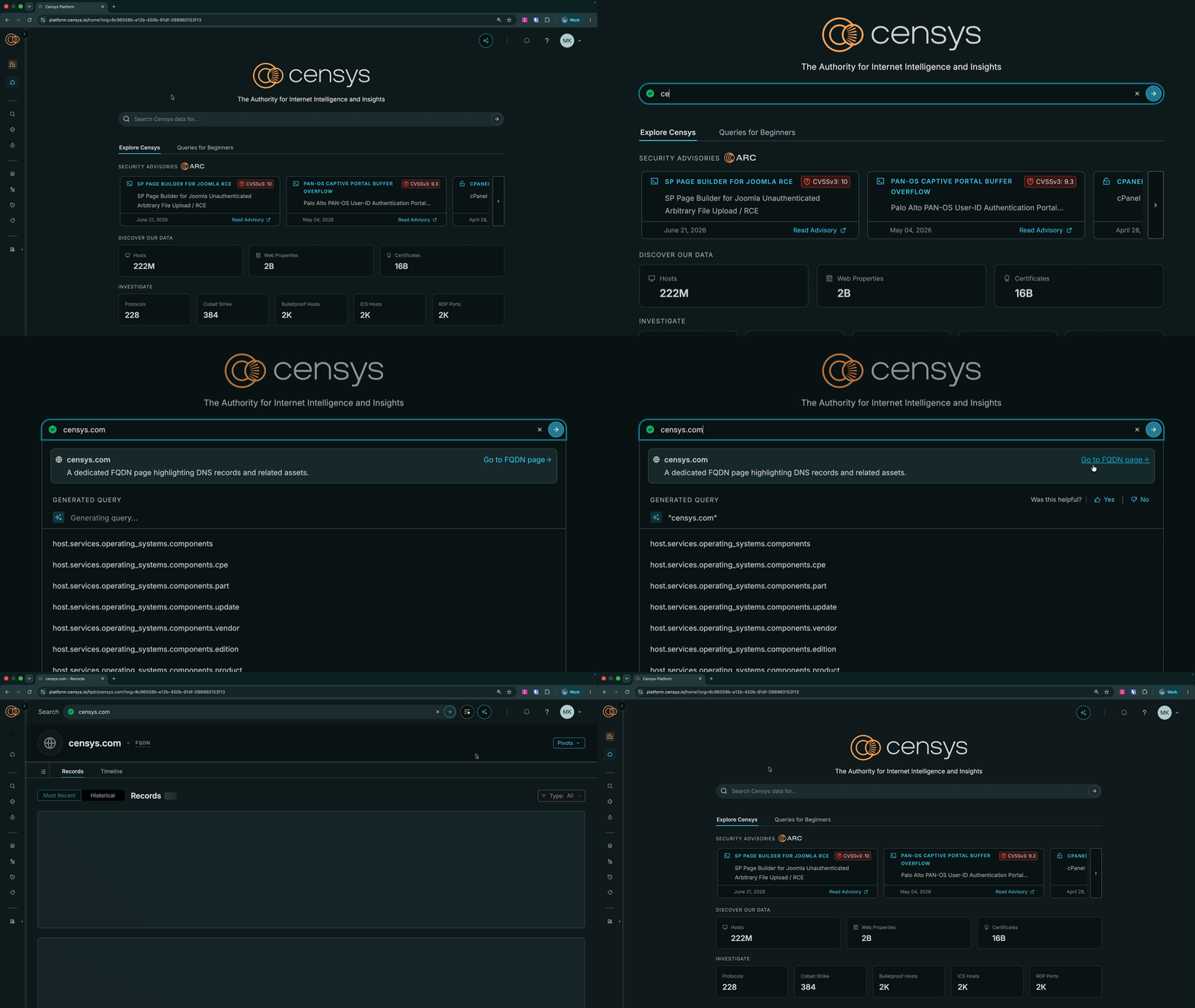
To directly look up a domain in Censys, enter its name (like censys.com) in the Platform search bar, then click Go to FQDN page in the domain banner in the search dropdown.
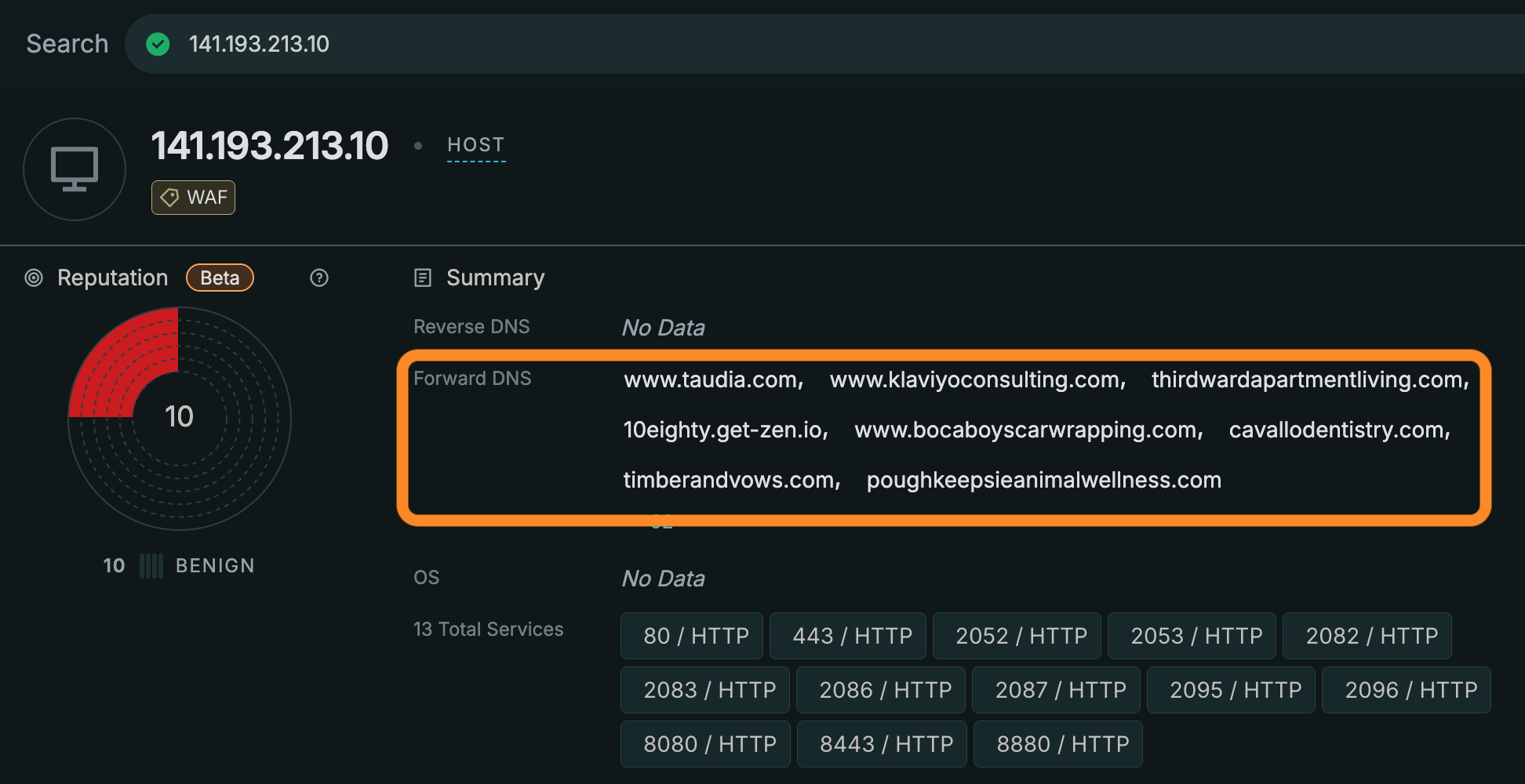
To pivot to a domain details page directly from a host, web property, or certificate details page, you can click a domain name in the Reverse DNS or Forward DNS sections of the Summary. A limited selection of the DNS names associated with an asset are shown in these fields. Check the DNS tab (described below) for additional names and record information.
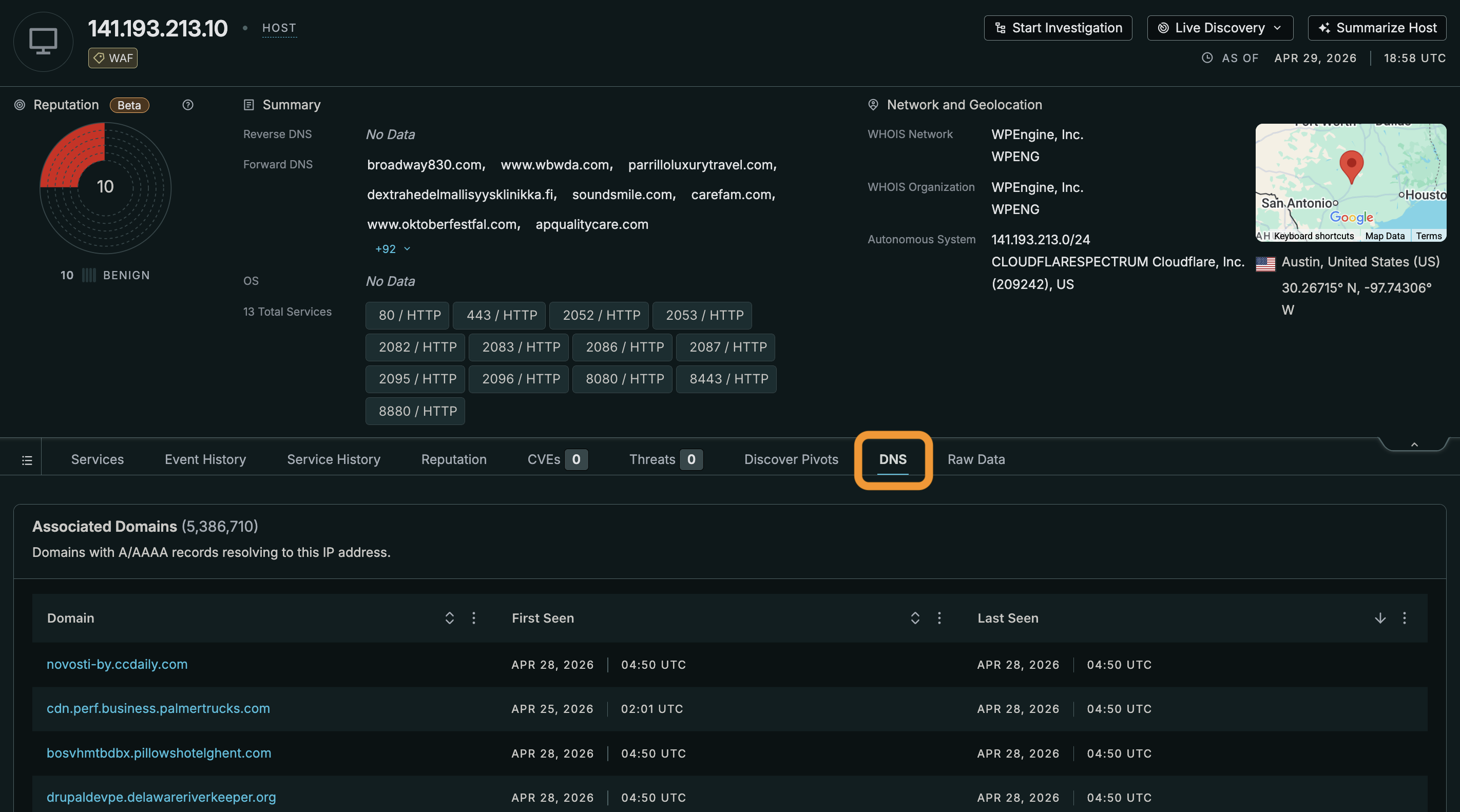
DNS tab
On host pages, use the DNS tab to see all domains with A or AAAA records that point to the IP.
Domain record information and timeline
The following record information is available on the Records tab for a domain in the UI. Timestamps that indicate when each record was first seen and last seen by Censys' resolution service are shown for each entry.
| Record type | Description |
|---|---|
| A | Maps a domain name to an IPv4 address. |
| AAAA | Maps a domain name to an IPv6 address. |
| CNAME | Canonical name. Forwards one domain or subdomain to another domain (alias), but not to an IP address. |
| MX | Mail exchange. Directs email to a specific mail server. Numerical values indicate which mail servers should receive incoming emails. Lower numbers are higher priority. |
| NS | Name server. Specifies the authoritative servers that hold the DNS entries for a domain. |
| SOA | Start of authority. Stores essential administrative information about a domain, including email, update times, and primary name server. |
| TXT | Text record. Often used by domain administrators for verification and email security. |
NoteFully qualified domain names (FQDNs) are the absolute address of a specific asset or service within the DNS tree. On a FQDN details page, the resolution path and records displayed are strictly for the name currently being viewed, distinct from its parent domain or subdomains.
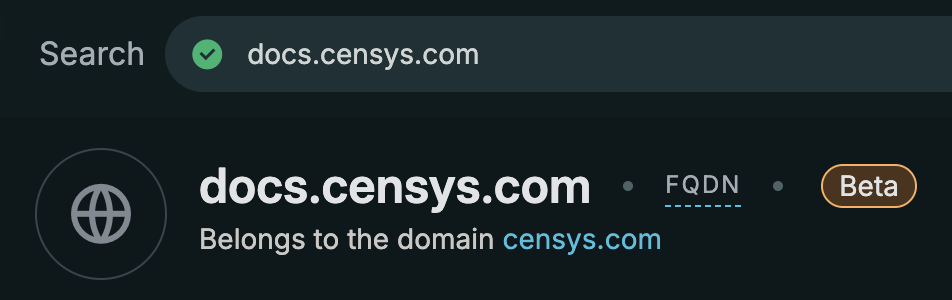
Subdomains that belong to another domain are indicated near the details page's title. Click the hyperlinked name to see the details page for the associated domain.
Record timeline
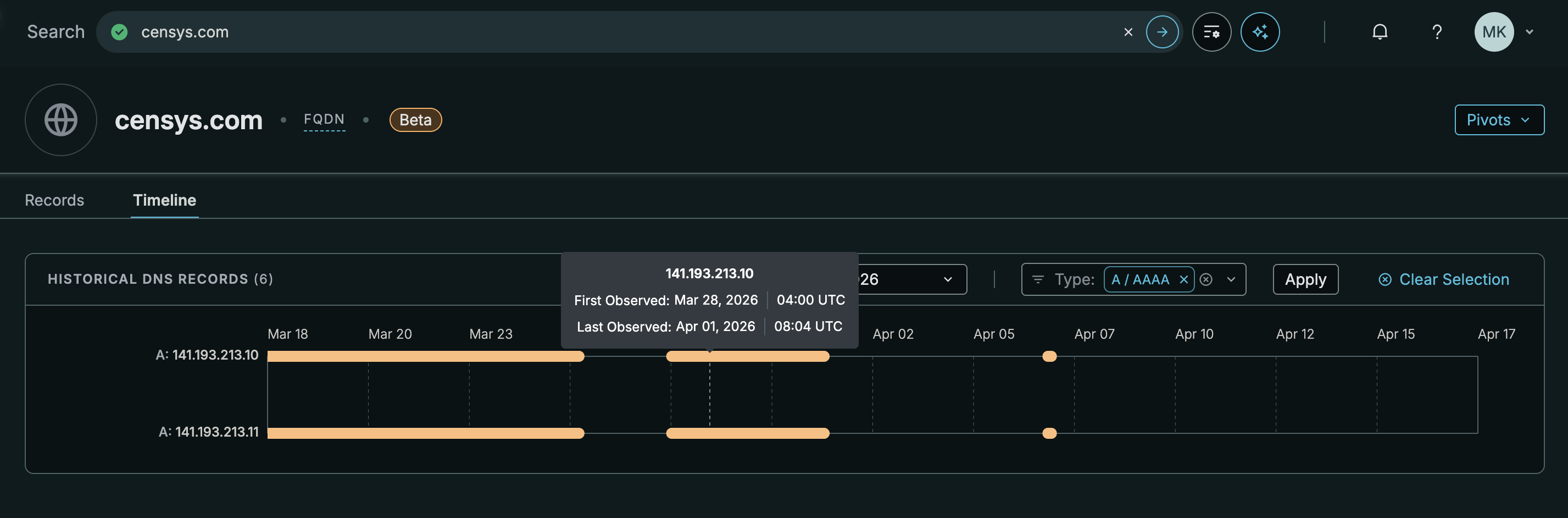
Click the Timeline tab to see a visual chart of historical record observations. Timestamps indicate when the record was first seen and last seen by Censys.
Record history availability
The amount of DNS history your account has access to varies based on your Censys plan.
| Plan | Amount of history |
|---|---|
| Censys Free | 2 days |
| Censys Starter | 7 days |
| Censys Search and Censys Core | 31 days |
Domain pivots
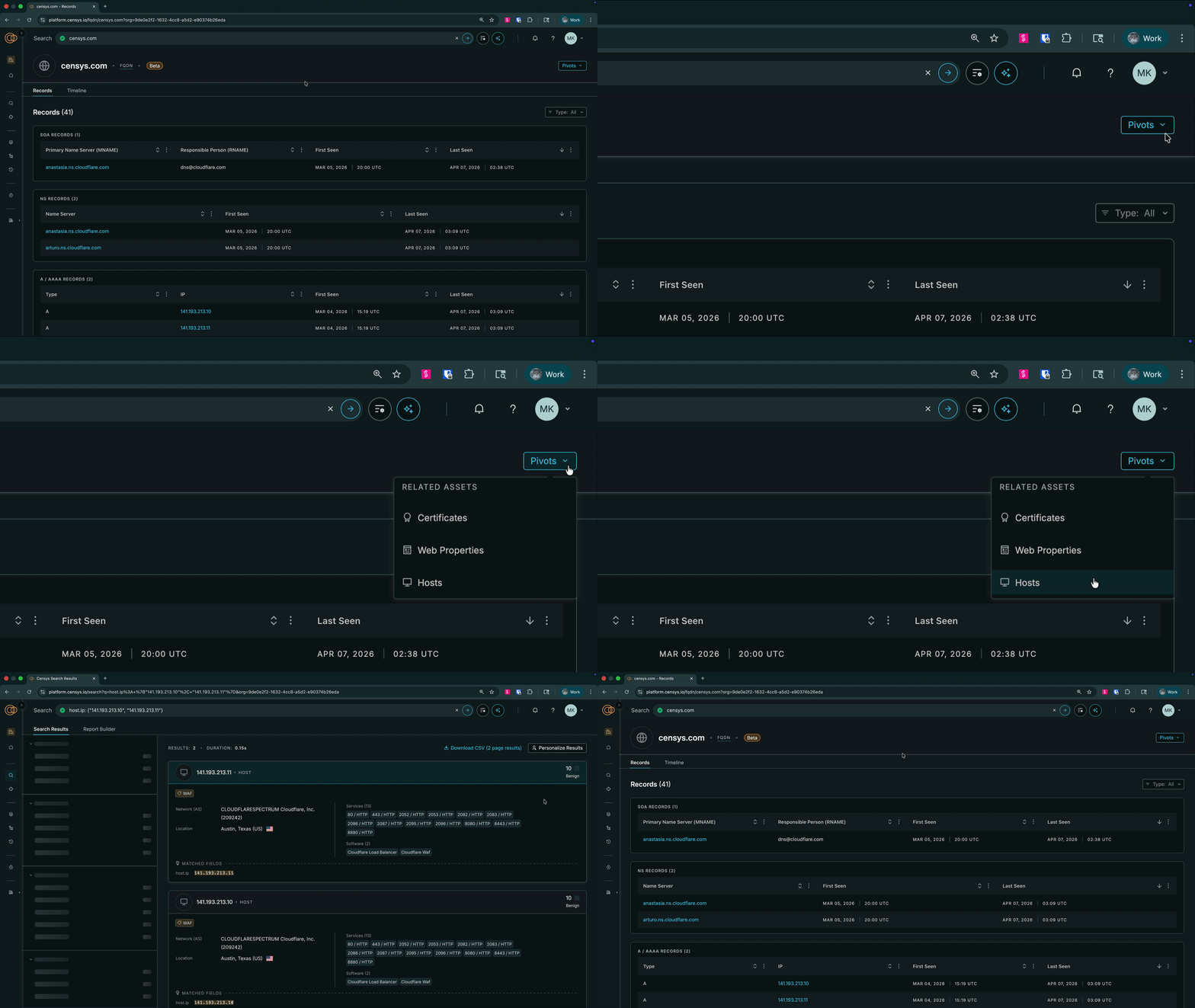
Use the pivot menu on domain pages to find hosts, web properties, and certificates associated with it.
Live Resolution for missing domains
When you look up a domain that is not currently present in the Censys dataset, the Platform will attempts to resolve that domain. This functionality is called Live Resolution. If Censys is able to resolve the domain, you will be redirected to its domain details page. These newly resolved records will persist and build the domain’s timeline history for future reference.
Non-existent domains
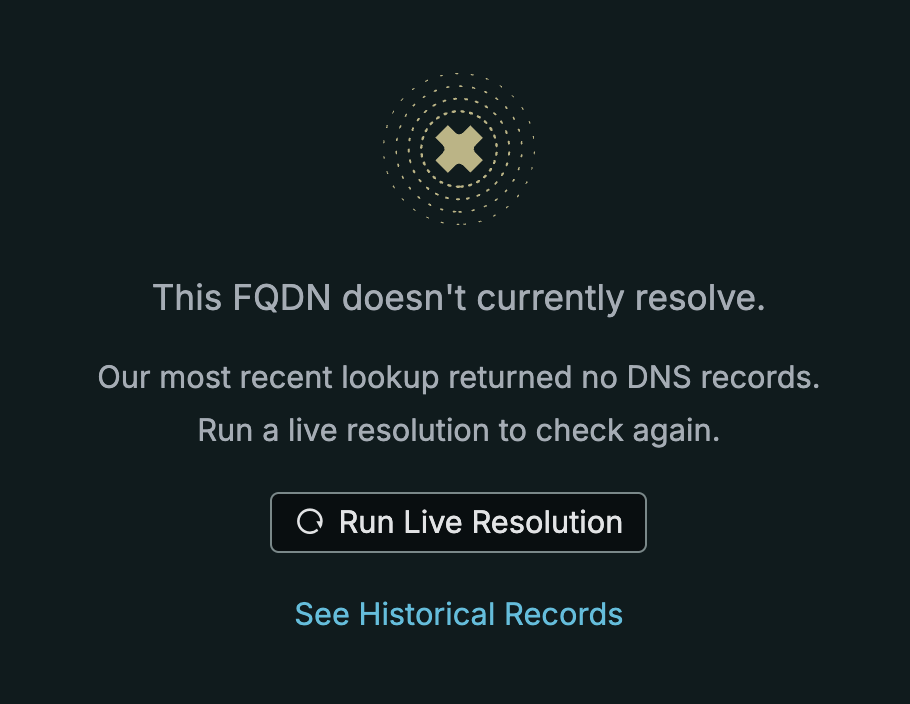
If Live Resolution confirms a domain doesn’t exist in DNS, you will see a message that indicates that the FQDN does not currently resolve.
Active DNS credit costs
The following table explains the credit costs for actions related to Active DNS functionality.
| Action | Credit cost |
|---|---|
| Directly looking up a domain in the Platform UI | 1 credit for Censys Free and Censys Starter users, free for enterprise users |
| Pivoting to a domain details page from a host, web property, or certificate in the Platform UI | 1 credit for Censys Free and Censys Starter users, free for enterprise users |
| Using the Pivots menu on a domain details page in the Platform UI to find hosts, web properties, or certificates related to the domain | 1 credit for each asset type for Censys Free and Censys Starter users, free for enterprise users |
| Switching between the Records and Timeline tabs on a domain details page in the Platform UI (unless you have already navigated between the two and the page is cached) | 1 credit for each asset type for Censys Free and Censys Starter users, free for enterprise users |
| Changing the date on the record timeline | 1 credit for each asset type for Censys Free and Censys Starter users, free for enterprise users |
Retrieve domain information via API
Use the following endpoints to retrieve Censys Active DNS information via API.
| API endpoint | Description |
|---|---|
| Get latest DNS resolution records for a name | Retrieve the latest DNS resolution records for a name. This endpoint returns the latest observed A, AAAA, MX, NS, SOA, and TXT records for the name you provide. |
| Get latest DNS names that resolved to an IP | Retrieve the latest domain names that resolved to the IP you provide (A and AAAA). |
| Get historical DNS resolution ranges for a name | Retrieve historical DNS resolution observations for a name. |
| Get DNS names that resolved to an IP within a time window | Retrieve domain names that resolved to the IP you provide within the requested time window. |
Updated 8 days ago