
Critical Infrastructure
Censys Core customers may purchase the Critical Infrastructure module. This module includes industrial control system (ICS) and operational technology (OT) protocol data, screenshots, and an interactive dashboard for browsing parsed ICS data.
You can use the data and dashboard to identify exposed ICS and OT devices, services, and interfaces for triage and remediation.
ICS protocols and data
The module grants access to ICS/OT-specific protocols and all related scan data. This data can be viewed in the web app or retrieved via API.
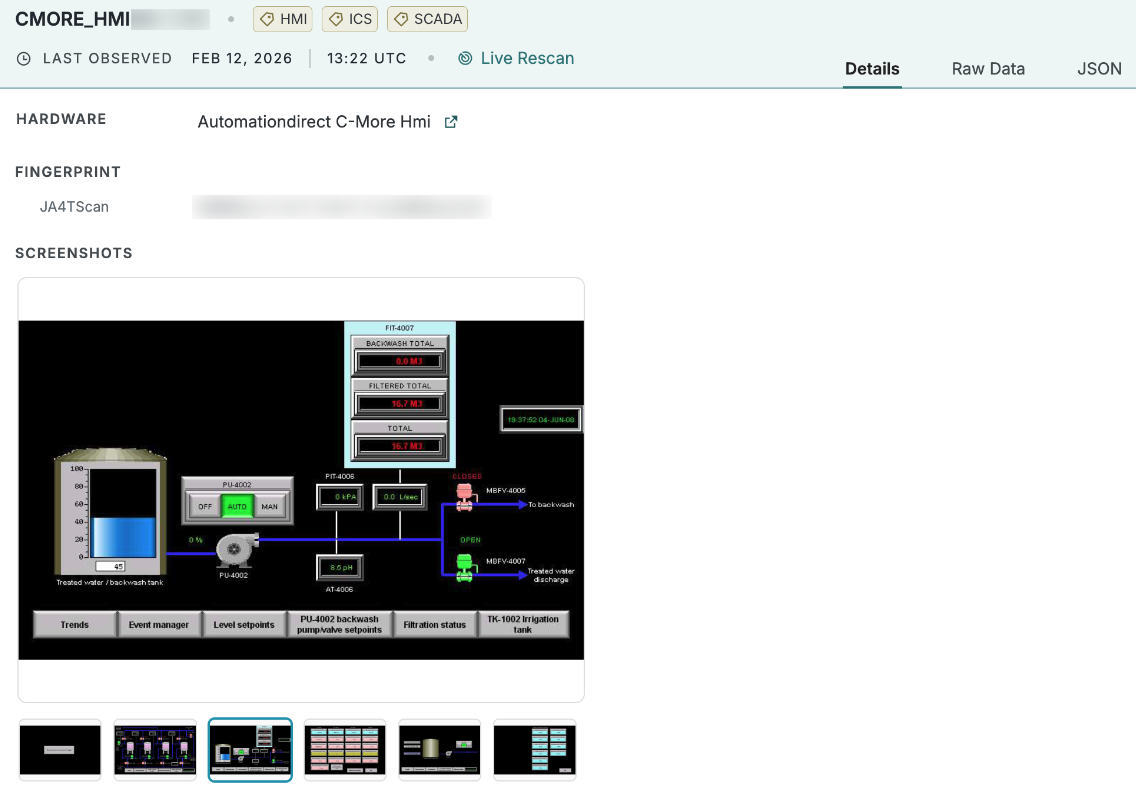
An example card for a CMORE_HMI service detected on a host. Screenshots of the exposed interface are provided for additional context.
The table below lists the protocols and data included in the module. It is current as of September 15, 2026 and is subject to change.
| Protocol | Description |
|---|---|
ANERMA_CF_FORTH | Anerma Industrial Controller. |
ATG | Automated Tank Gauge. |
BACNET | BACnet. |
CIMON_PLC | CIMON PLC Communication Protocol. |
CMORE | C-More Panel PLC Protocol. |
CMORE_HMI | C-More HMI Web Interface. |
CODESYS | CoDeSys PLC Runtime Protocol. |
DIGI | Digital Industrial Gateway Interface. |
DLT | AUTOSAR Diagnostic Log and Trace (dlt-daemon, COVESA/formerly GENIVI). Used for automotive ECU logging. |
DNP3 | Distributed Network Protocol 3. |
EIP | EtherNet/IP. |
FINS | Omron's Factory Interface Network Service. |
FOX | Niagara Fox. |
GE_SRTP | General Electric Simple Real-Time Protocol. |
HART | Highway Addressable Remote Transducer. |
IEC60870_5_104 | IEC Telecontrol Protocol (104). |
MELSEC | Mitsubishi Electric's System for Electric Control. |
MMS | Manufacturing Message Specification. |
MODBUS | Modbus Serial/TCP. |
OPC_UA | Open Platform Communications Unified Architecture. |
OPW_FSC3000 | OPW Fuel Management Systems FSC3000 card-lock fuel site controller console. |
ORENCO_ATRTU | Orenco AdvanTex wastewater-treatment RTU pre-login VT100 screen. |
PCOM | Siemens SIMATIC S7 Communication Protocol. |
PCWORX | Phoenix Contact PLC Communication Protocol. |
PRO_CON_OS | ProConOS. |
PROFINET | Siemens Industrial Ethernet Protocol. |
REDLION_CRIMSON | Red Lion Crimson HMI/SCADA Protocol. |
REDLION_WEB | Red Lion Web-Based HMI/Configuration Interface. |
S7 | Siemens S7. |
SCADA_VIEW | ScadaBR / SCADA Viewer Web Interface. |
UTILINET_LPP | Landis+Gyr Gridstream RF / UtiliNet head-end LAN Packet Protocol listener for utility AMI and distribution automation. |
WDBRPC | Web Distributed Business Rules Procedure Call. |
ICS screenshots
In addition to the ICS metadata available with the protocol license, screenshots are captured for the following ICS services whenever they are scanned by Censys. Learn more about screenshots here.
CMORE_HMIREDLION_CRIMSONSCADA_VIEW
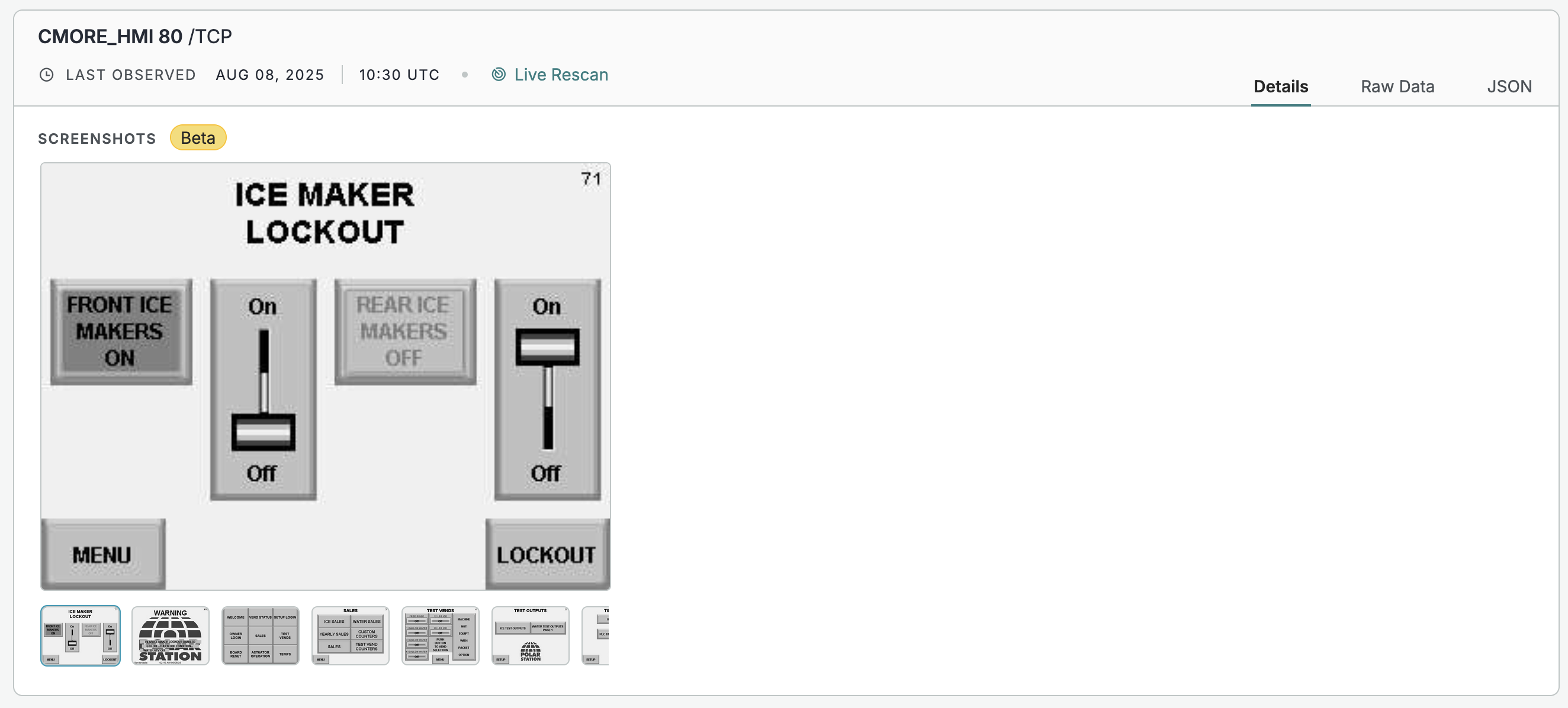
A screenshot captured for a CMORE_HMI service.
Extracted text
Text that is extracted from screenshots using optical character recognition (OCR) is indexed and searchable in extracted_text data fields. Use these fields to search for words of interest, such as admin, or a vendor name, product name, machine information, or location information.
Critical Infrastructure dashboard
The Critical Infrastructure dashboard in the Platform web UI is a filterable view of ICS/OT assets identified by Censys scans. To access the dashboard:
- Open the left side navigation panel.
- Go to Defend > Critical Infrastructure.
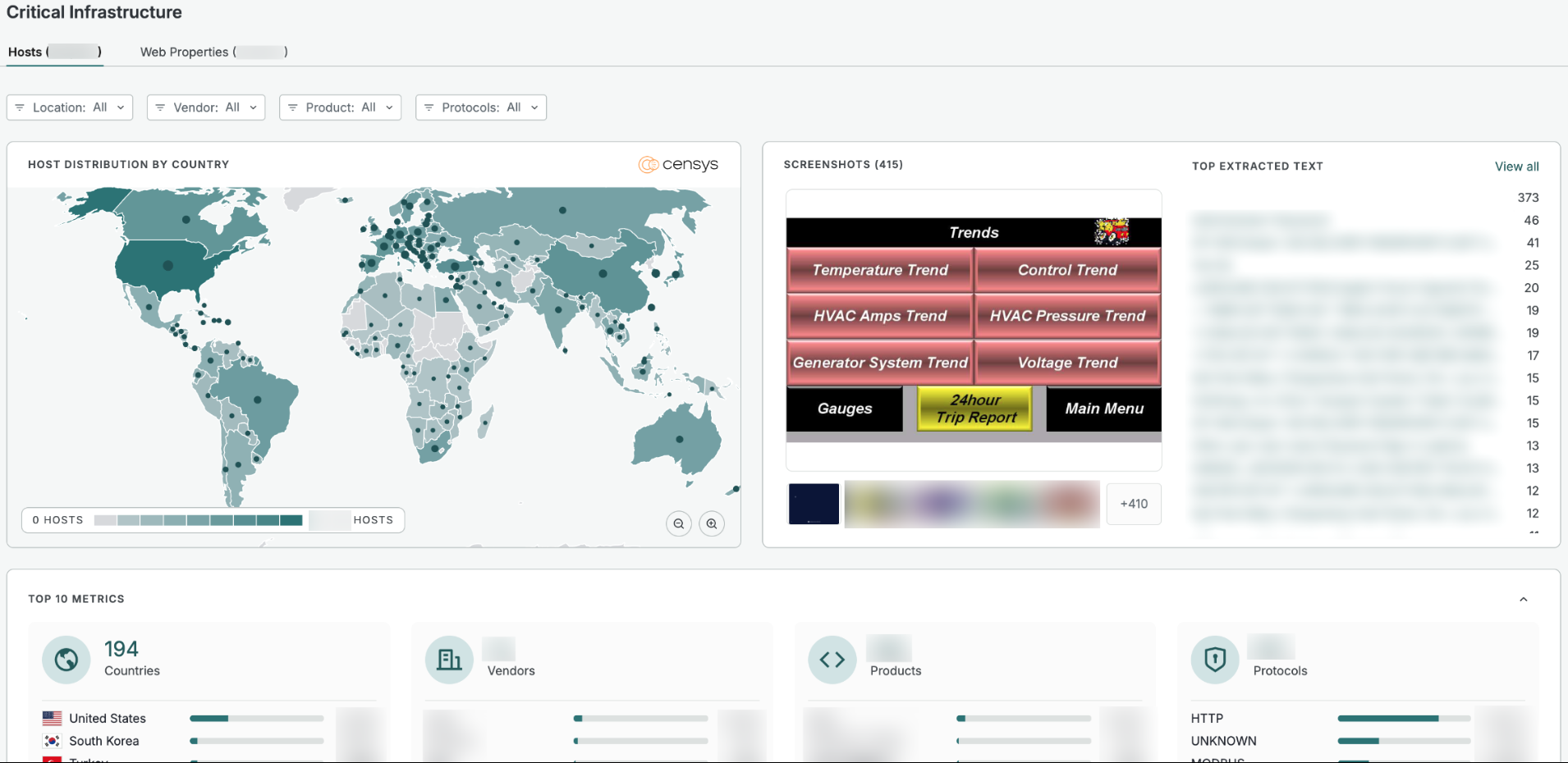
Use the tabs at the top to switch between viewing data for hosts and web properties.
Use the Location (for hosts), Vendor, Product, and Protocols drop downs to filter the entire dashboard to focus on countries, vendors, products, and protocols of interest.
The Screenshots section displays screenshots captured from services that meet your filter criteria. Use the Top Extracted Text section to find exposed services based on text pulled from screenshots.
The Top 10 Metrics section breaks down the top countries (for hosts), vendors, products, and protocols present in your filtered results.
To see the full list of assets that meet your filter criteria, scroll down to the Hosts or Web Properties section below the Top 10 Metrics window. Click on a host or web property entry to see its full details.
Updated 11 days ago