
January 26, 2026
9 months ago
Summary
- Use the new cloud asset context in ASM to help you identify asset ownership for easier remediation. This contextual metadata is retrieved for all assets sourced from the AWS, GCP, and Azure Cloud Connectors and the Wiz integration.
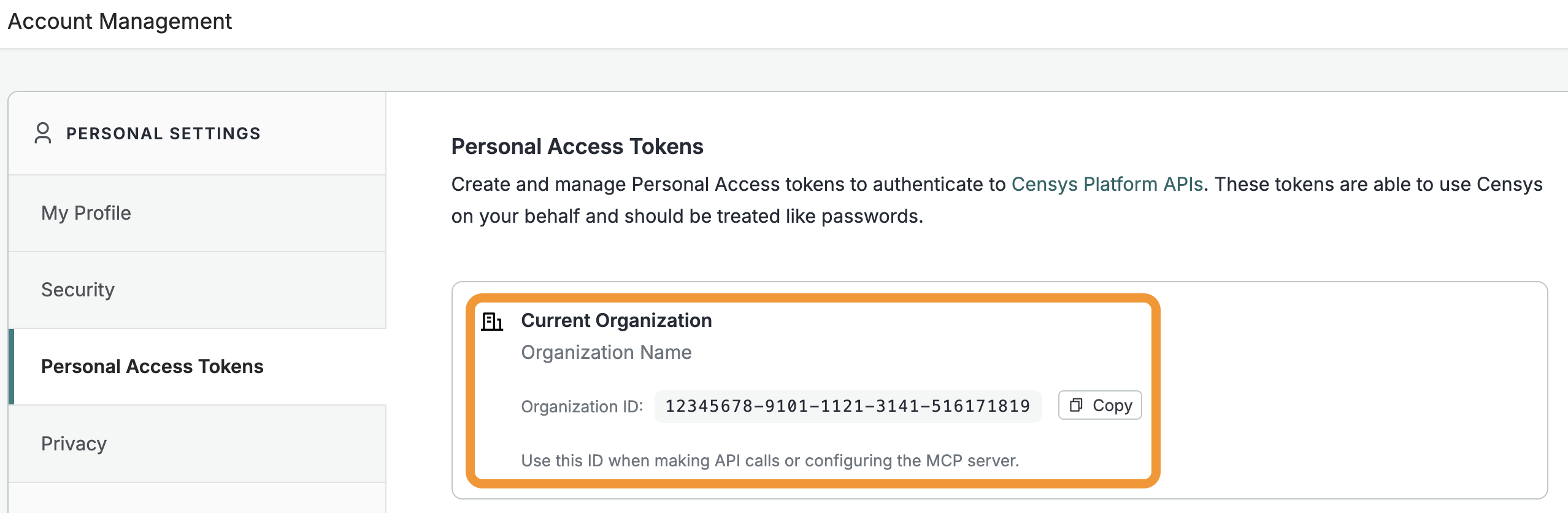
- You can now obtain your Platform organization ID from the Account Management page in the Platform web console.
- Added three new software fingerprints for TorGuard VPN servers, Nessus Vulnerability Scanners, and Scope Sentry.
ASM
-
Use cloud asset context in ASM to help you identify asset ownership for easier remediation.
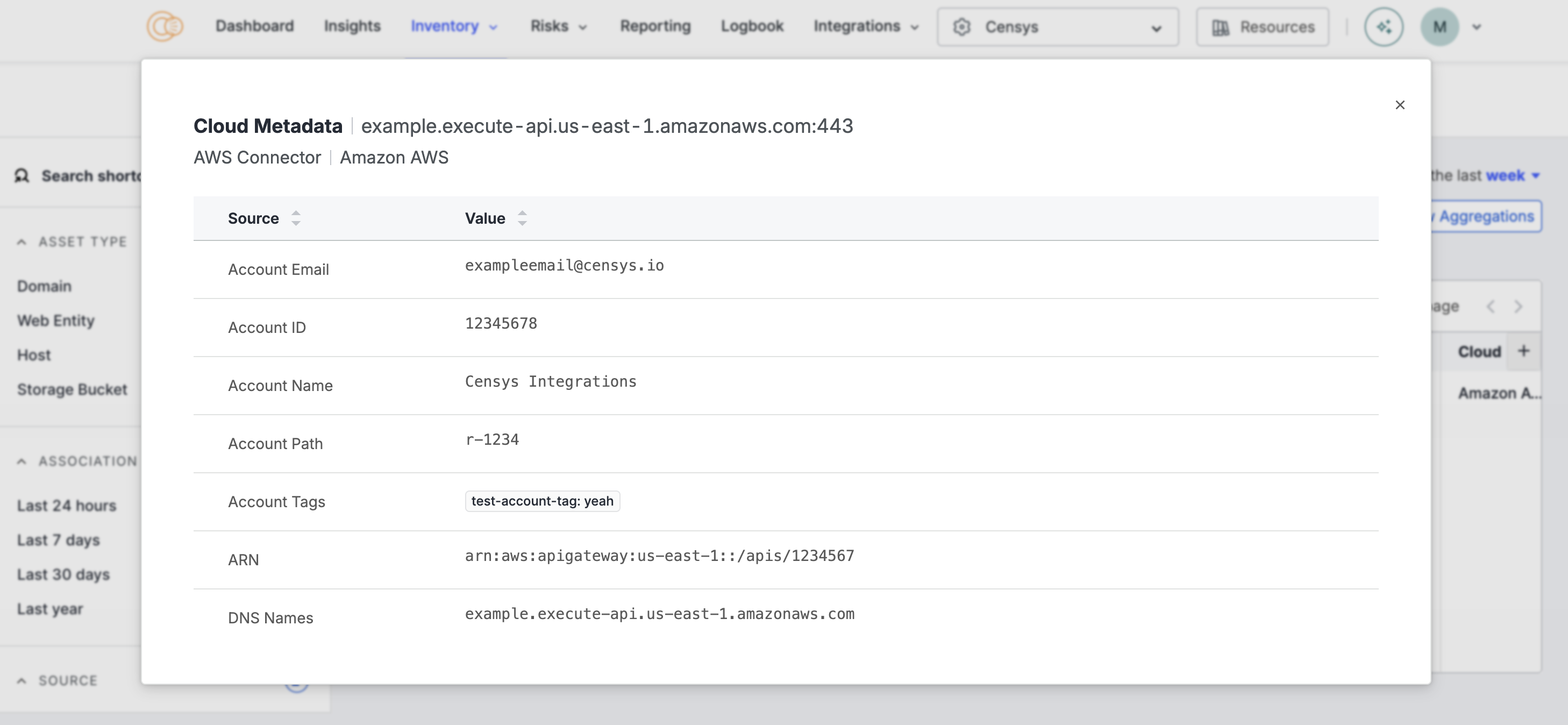
- You can see the context data for an asset by clicking the linked text in the Source column in the Inventory table view in the ASM web console.
- Contextual metadata is retrieved for all assets sourced from the AWS, GCP, and Azure Cloud Connectors and the Wiz integration.
- This data is shown in the ASM web console and can be queried by the inventory search API endpoint.
Platform
- You can now obtain your organization ID from the Account Management page in the Platform web console.
-
Open the Platform web console and ensure that your organization account is selected. Go to Settings > Account Management > Personal Access Tokens.
-
The ID for your organization is shown in the "Current Organization" box. Click Copy to copy it to your clipboard.
-
New fingerprints
Added the following fingerprints.
| Type | Name | Description | Query |
|---|---|---|---|
| software | TorGuard VPN server | This is a TorGuard VPN server. | Platform query |
| software | Nessus Vulnerability Scanner | This is a Nessus vulnerability scanner, a tool developed by Tenable for identifying security issues. | Platform query |
| software | Scope Sentry | This is a Scope Sentry instance. Scope Sentry is a tool with functions such as asset mapping, subdomain enumeration, information leakage detection, vulnerability scanning, directory scanning, subdomain takeover, crawler, and page monitoring. | Platform query |